Case Study
AltarLink
Volunteer management & scheduling platform with role-based dashboards and real-time coordination.
Role
Lead Developer
Timeline
Oct 2025 - Jan 2026
Status
Live
Overview
Built to replace a clipboard and a spreadsheet
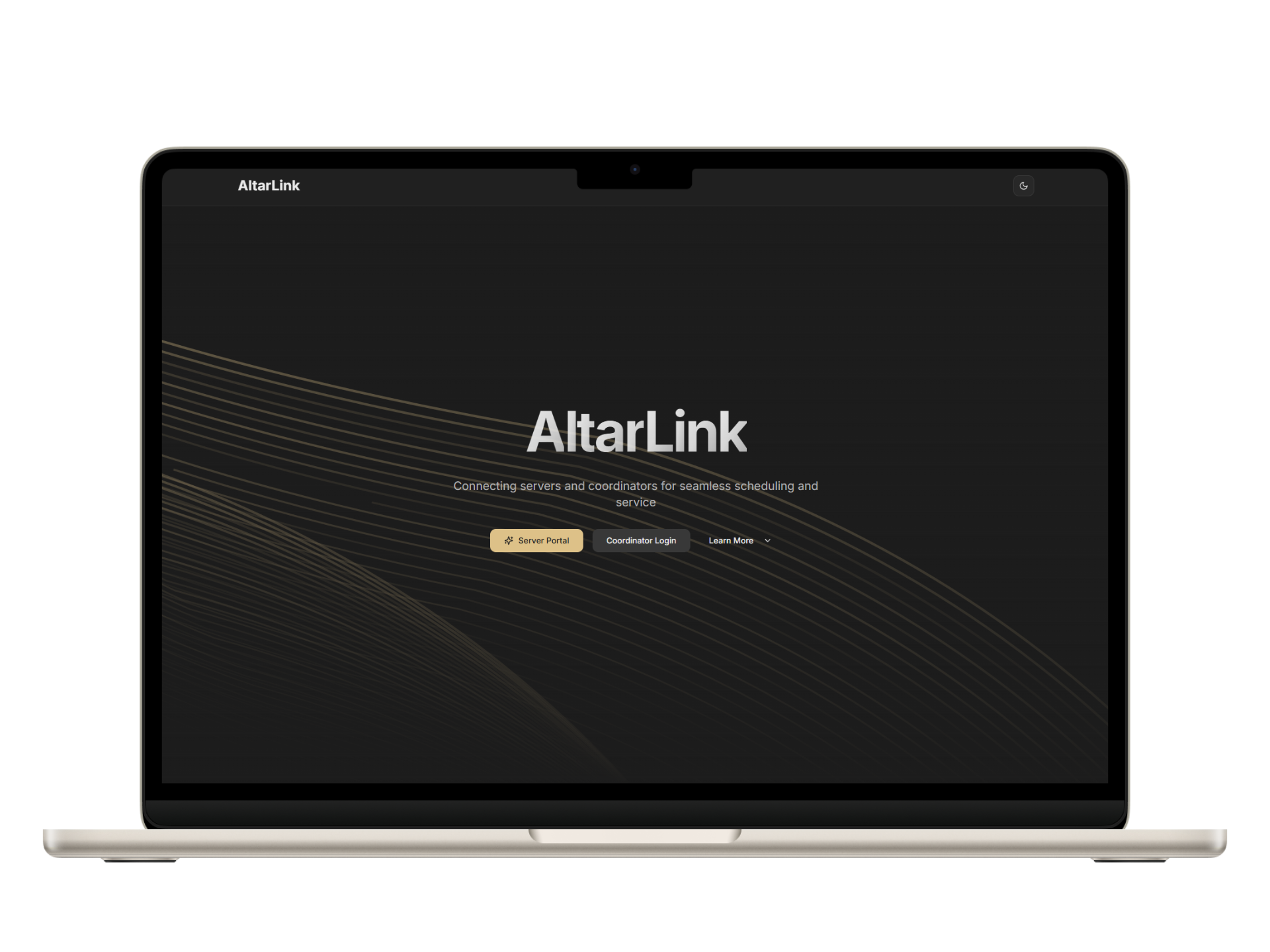
AltarLink is a web-based volunteer management platform built for Catholic parish altar server programs. Before it existed, coordinators managed a 40+ person roster through group chats, printed schedules, and manual hours logs. It worked until it didn't, and when it broke, it broke loudly.
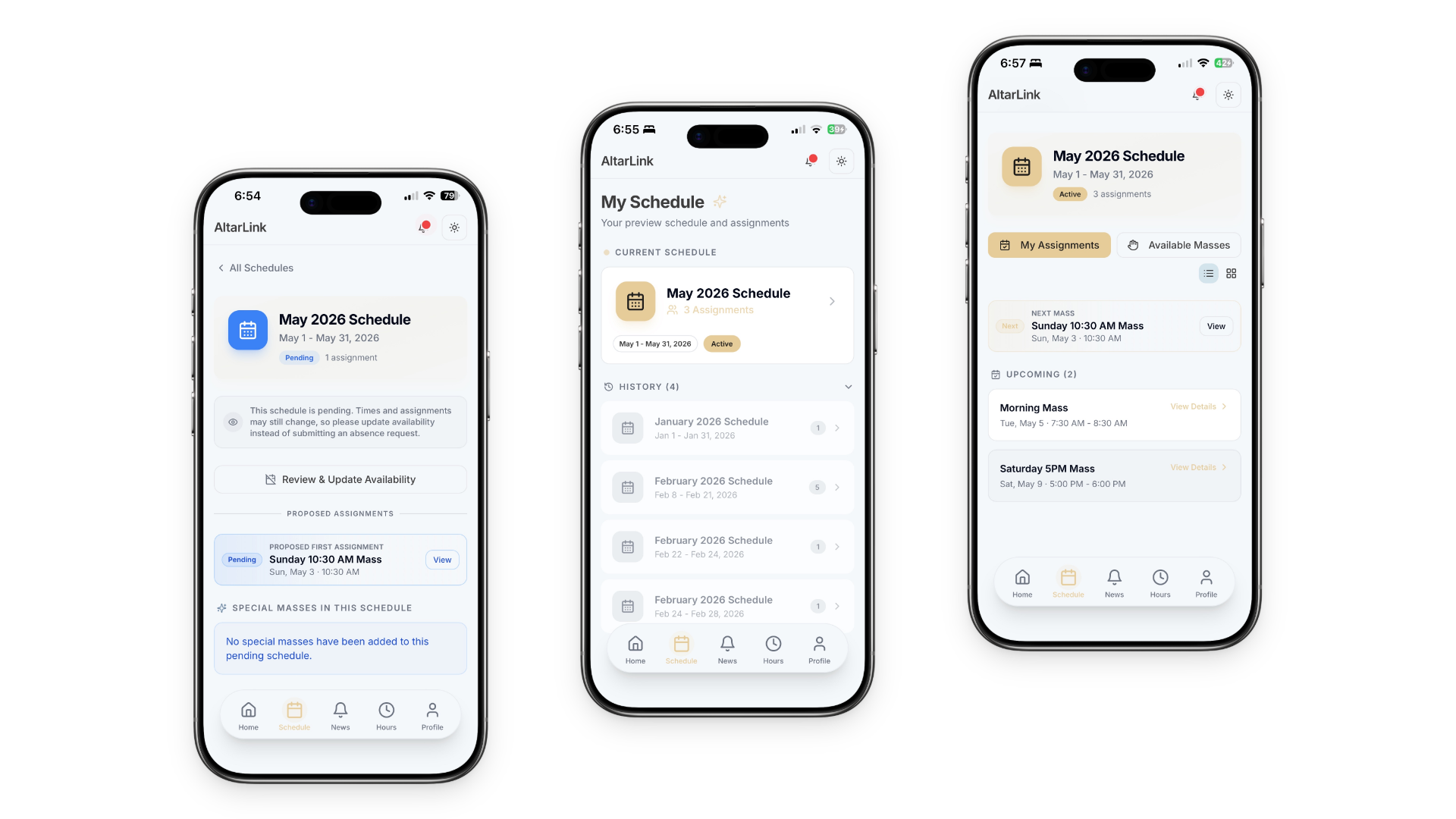
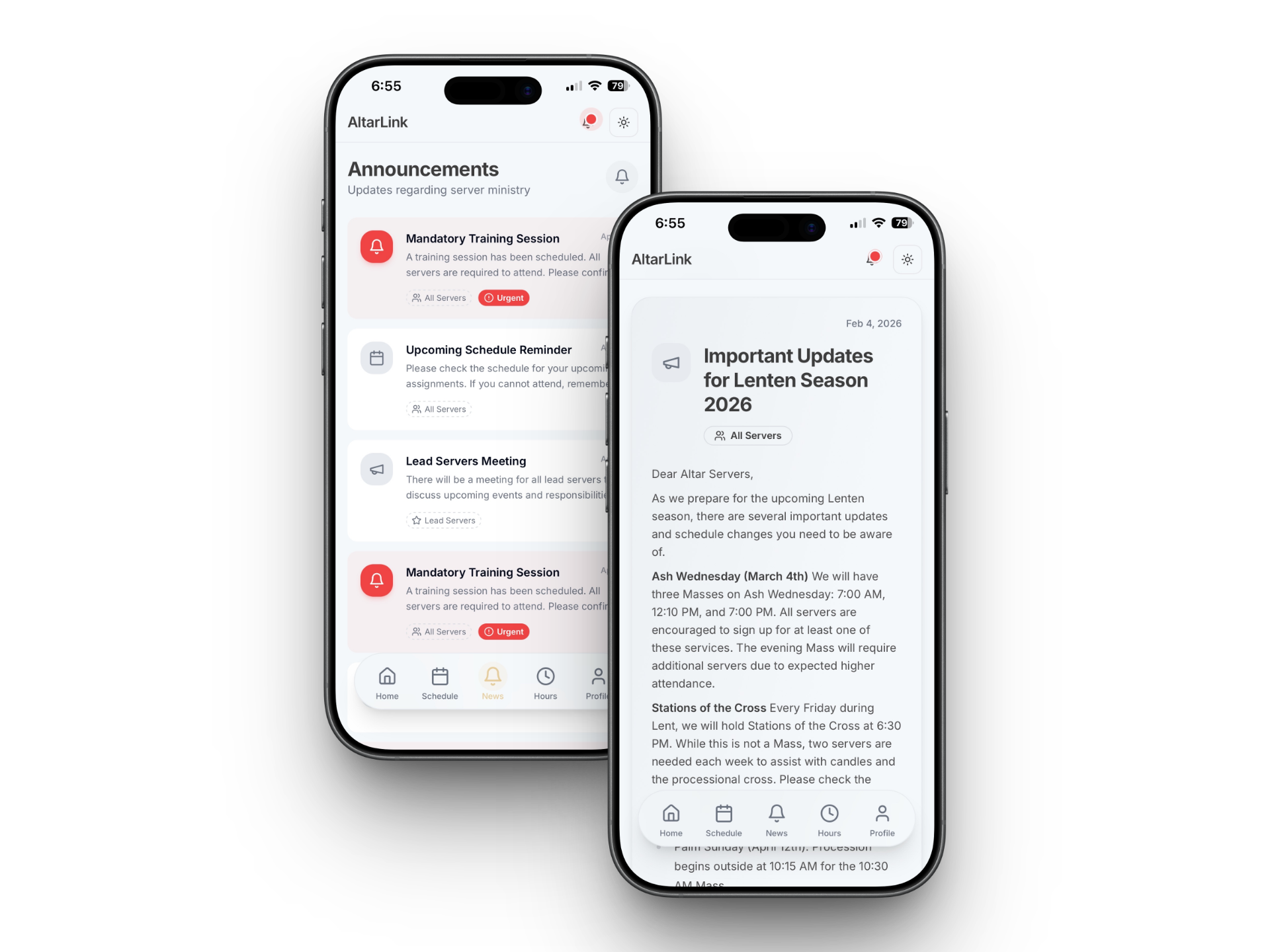
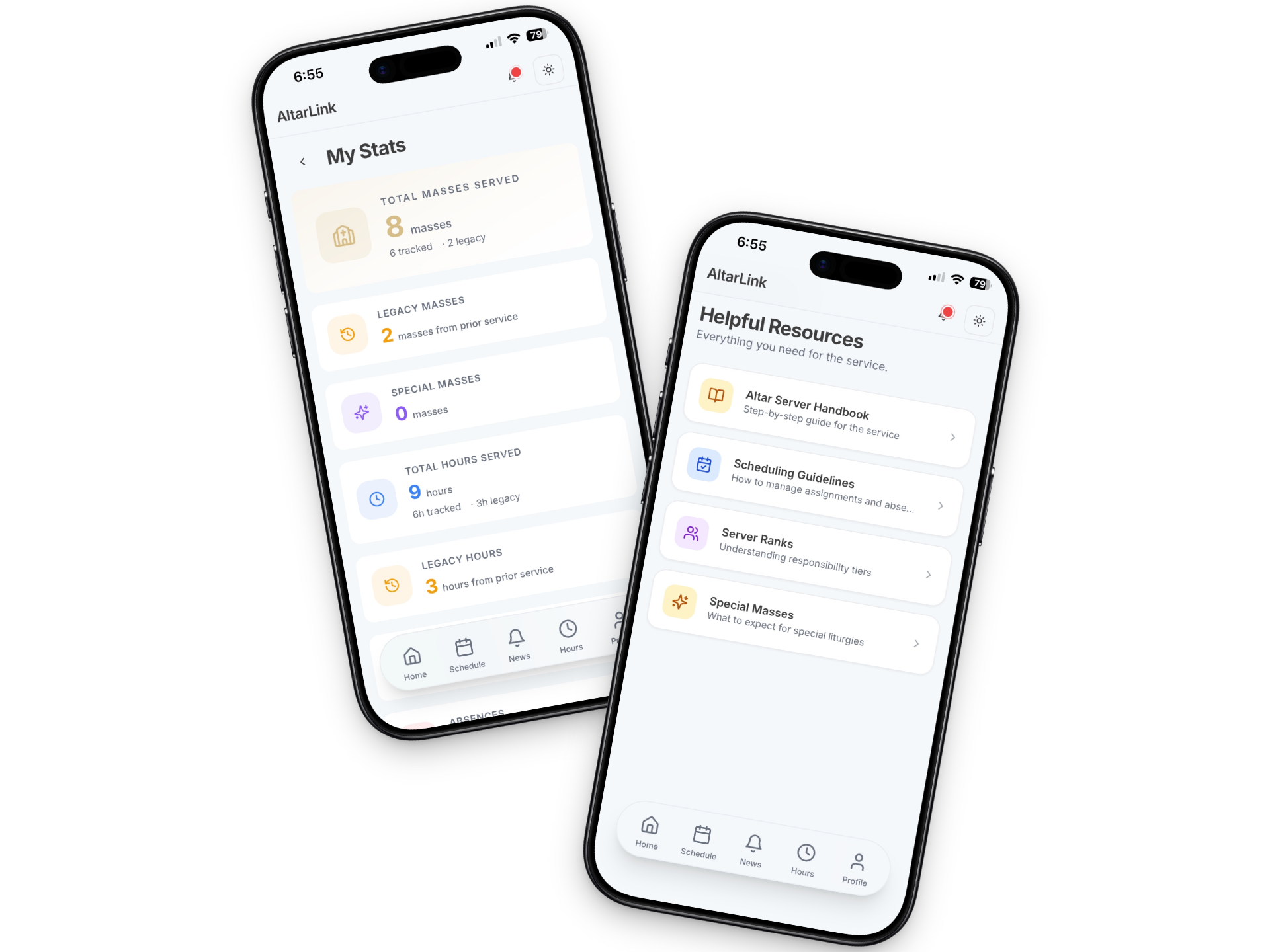
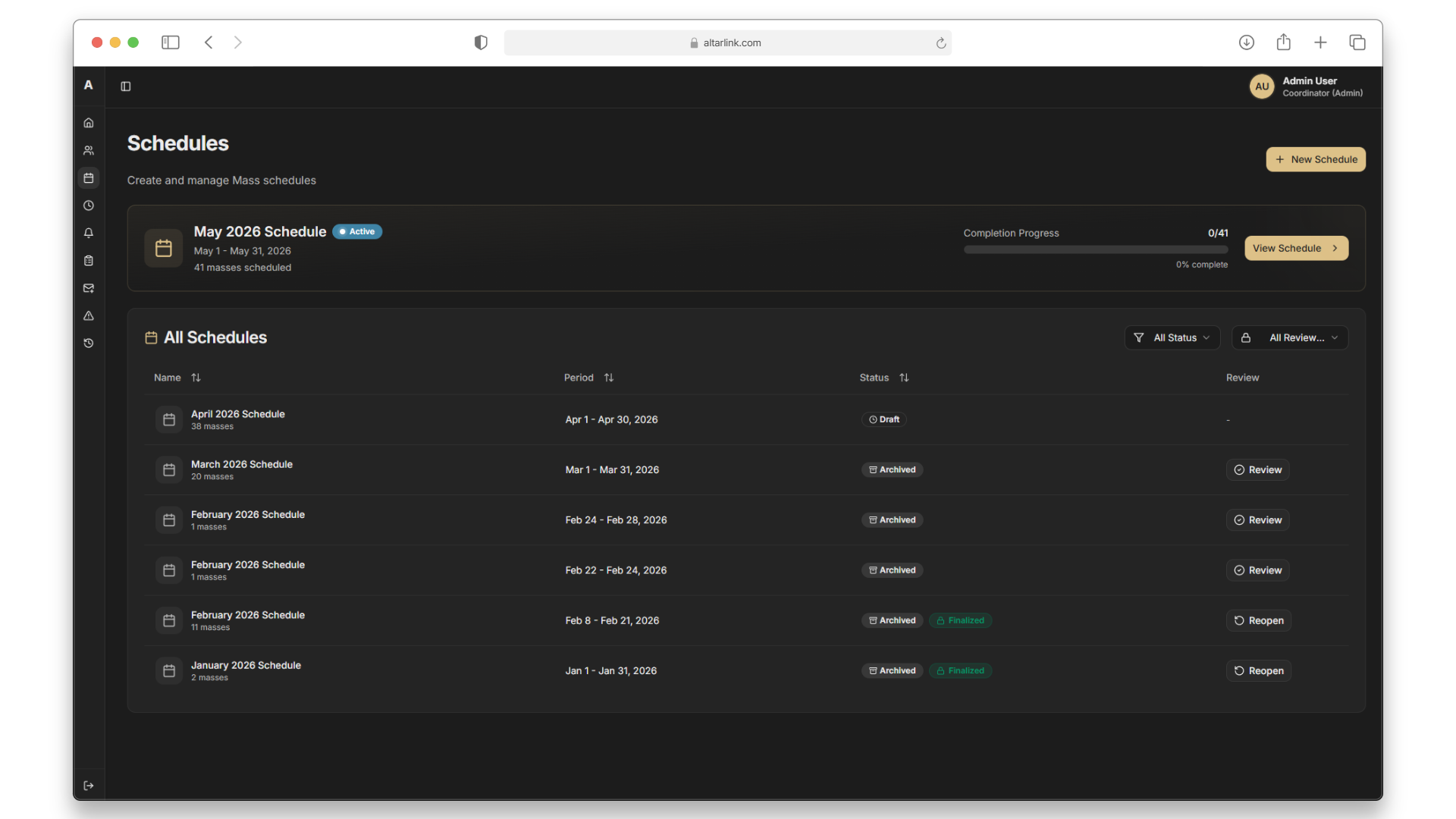
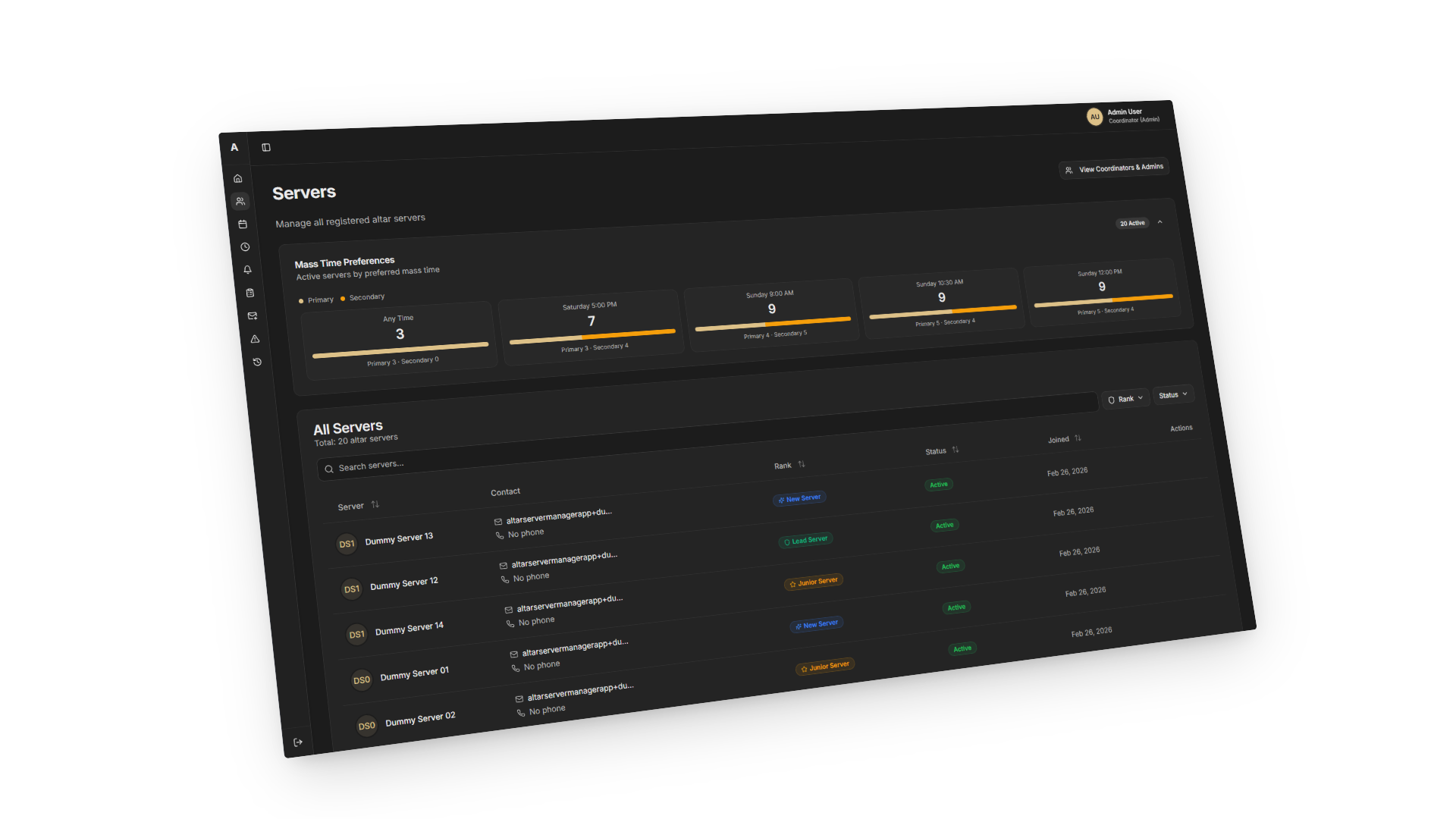
The platform gives coordinators a single place to build and publish mass schedules, manage server profiles, track service hours, and broadcast announcements. Servers get a mobile-first read-only view of their upcoming assignments, personal hours, and parish news. No native app install required.
The core value is operational trust: schedules are the same for everyone, hours are calculated automatically, and changes are visible the moment they're made.
Problem
What was breaking down?
Before AltarLink, managing altar server programs was a fragmented, manual process that relied on printed schedules, scattered emails, and disconnected messaging apps. This "analog-first" approach led to three primary failure points:
Communication Gaps: Static documents and buried group chats resulted in missed assignments and overlooked updates.
Administrative Burden: Coordinators were overwhelmed by the constant need for manual reminders, follow-ups, and hour-tracking.
Scalability Issues: Systems that functioned for small groups collapsed under the weight of 20–30+ volunteers, particularly as younger servers shifted toward mobile-only communication.
AltarLink was built to centralize these workflows into a single, mobile-responsive platform designed for the modern altar server and coordinator.
Approach
How I thought about it?
The coordinator and server experiences are separate surfaces, built as distinct routes rather than one UI with parts hidden. Each has different data exposure, different interaction patterns, and different priorities. Servers are teenagers on their phones; their views were designed at 390px first and treat desktop as an enhancement.
Supabase gave the project auth, database, and access control in one system, with Row Level Security enforcing role boundaries at the row level rather than in a separate permission layer. Schedules move through draft → published → archived states, so coordinators can build and review before servers can see anything. A PWA avoided the App Store friction that would have slowed adoption in a volunteer program.
Solution
Core features
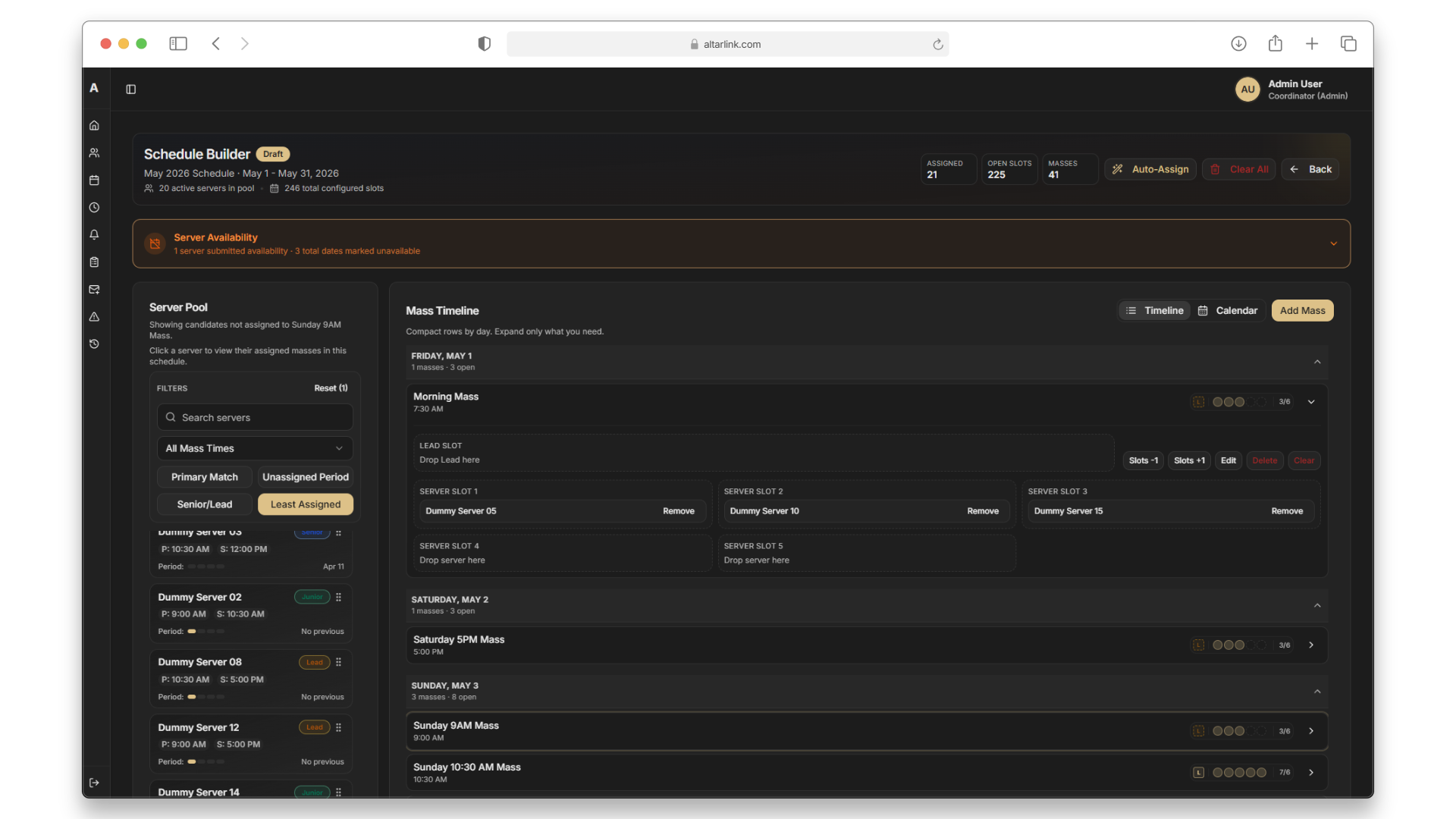
Mass scheduling — Coordinators build per-mass schedules with role assignments, capacity limits, and conflict detection. Servers are assigned by name with their roles made explicit.
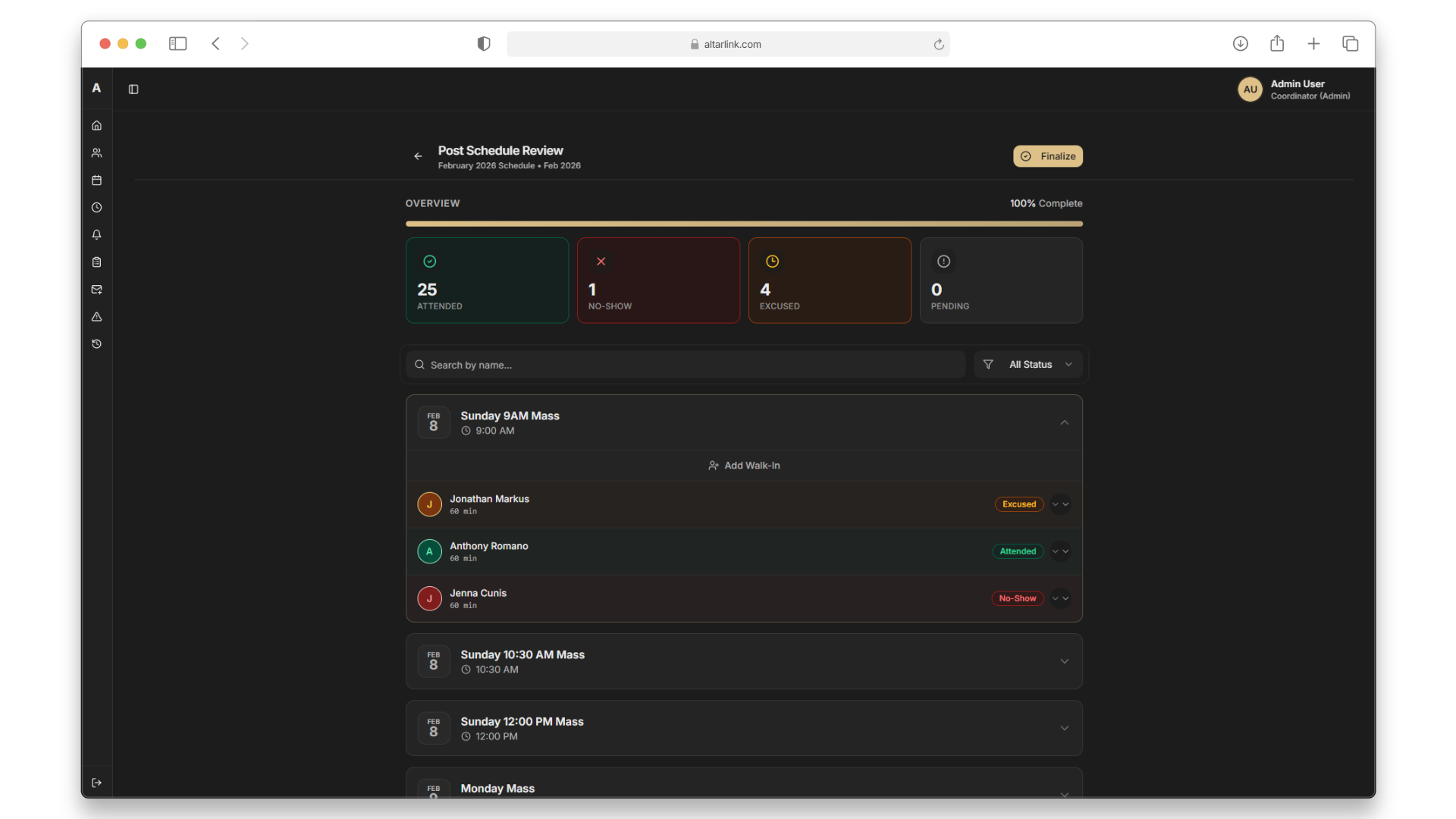
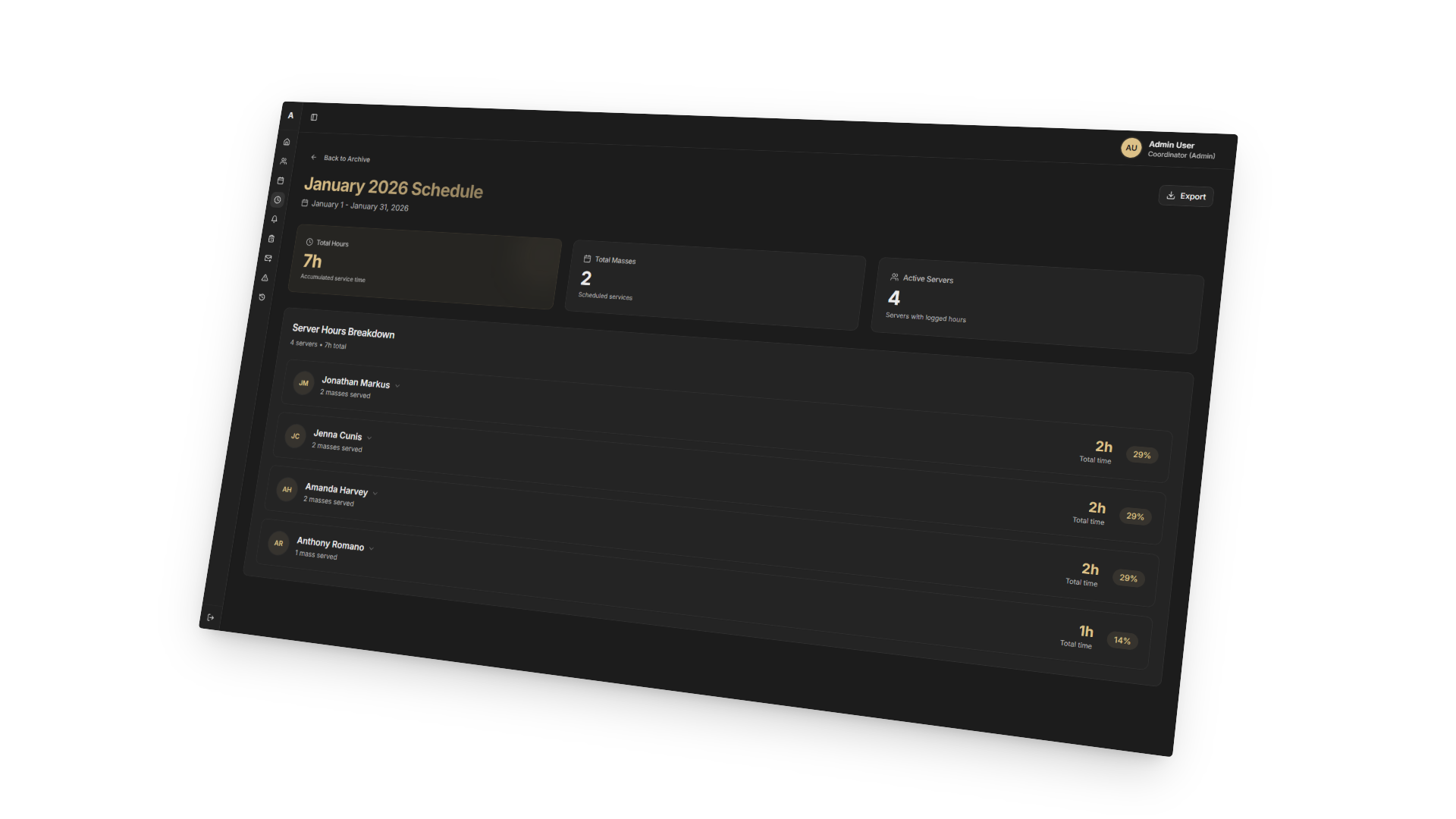
Attendance reconciliation — After each schedule period, coordinators mark attendance against the published assignment. Hours are calculated and stored automatically, removing the manual tally step entirely.
Real-time volunteer portal — The server dashboard shows upcoming assignments, personal service hours, and announcements. It updates the moment a coordinator publishes a change.
System design highlights
Row Level Security — Every table in the PostgreSQL schema has RLS policies enforced by Supabase. A server querying their own data cannot access another server's records or coordinator-only data, regardless of how the request is formed.
Schedule state machine — The draft → published → archived lifecycle is enforced at the database level. A server's read policy only grants access to published schedules, so draft data is never accidentally exposed.
Optimistic UI updates — Assignment and attendance mutations update the UI immediately before the server confirms, then reconcile on the response. That keeps the coordinator experience fast even on slow parish Wi-Fi.
Outcome
What changed?
For coordinators, the platform eliminates a significant share of manual overhead. Tasks that previously required constant follow-up (reminding servers, tracking attendance, maintaining records) are now handled systematically within the system. That frees up time for actual oversight instead of administrative busywork.
For servers, the experience is clearer and more reliable. They always know when they're scheduled, receive timely updates, and can view their accumulated service hours without having to ask. Centralizing everything in one place means the data stays consistent and auditable. No more reconciling across a spreadsheet and a group chat.
A few tradeoffs were made deliberately. I excluded automated scheduling to preserve coordinator flexibility in decision-making. Parent accounts and advanced analytics were deferred to keep v1 focused. And the server experience was kept read-only to reduce errors, even though it limits interactivity.
Reflection
What I'd take forward?
One of the clearest lessons was designing for different user types from the start. Coordinators and servers have fundamentally different needs, and trying to unify their experiences would have introduced unnecessary complexity. Separating them early kept each surface focused and effective.
I also came to appreciate how much value there is in constraints. Locking schedules once active reduced errors more than any amount of UI guidance would have. The system enforcing rules is always more reliable than expecting users to follow them.
Implementing RLS at the database level was the first nudge toward a broader shift in how I think about backends. By the end of the project I was treating Postgres as an active part of the system, not just a store my application code talks to. Scheduling logic that needed to behave correctly across timezones (mass times are 7 AM regardless of what UTC says) runs inside Postgres functions, with reconciliation firing against local time rather than a server clock. That alone eliminated an external cron job and kept timing-sensitive logic close to the data it depends on. The knock-on was writing less glue code overall: when access control, state transitions, and scheduling all live in the database, the application layer gets simpler and there is less to debug when something breaks.
Scope control was the other major factor. There were features I wanted to add throughout (automated scheduling, parent accounts, advanced analytics), but staying focused on what coordinators actually needed in week one was what made it possible to ship something they'd trust.
Future Goals
What's next
The clearest next step is opening AltarLink to other parishes. Right now it runs as a single-tenant system: one organization, one set of tables. Supporting multiple parishes means rethinking how data is isolated at the row level, how coordinators are scoped to their own rosters, and whether a new parish can get set up without someone manually touching the database. The RLS foundation makes this more tractable than starting over, but it is a meaningful structural change.
The PWA covers most of what mobile users need, but there are things a web app can't do cleanly. Push notifications are the main one. If it turns out servers need timely reminders more than they need browser access, a native app would be the right call. That decision is worth making based on how people are actually using the current version, not ahead of it.
One feature that came up consistently in early feedback is some form of recognition for servers: milestones, badges, something to mark consistent attendance or years of service. A badge and achievement system would give the hours tracking feature a reason to exist beyond administrative record-keeping, and it would give coordinators something concrete to point to when acknowledging a server's contribution.